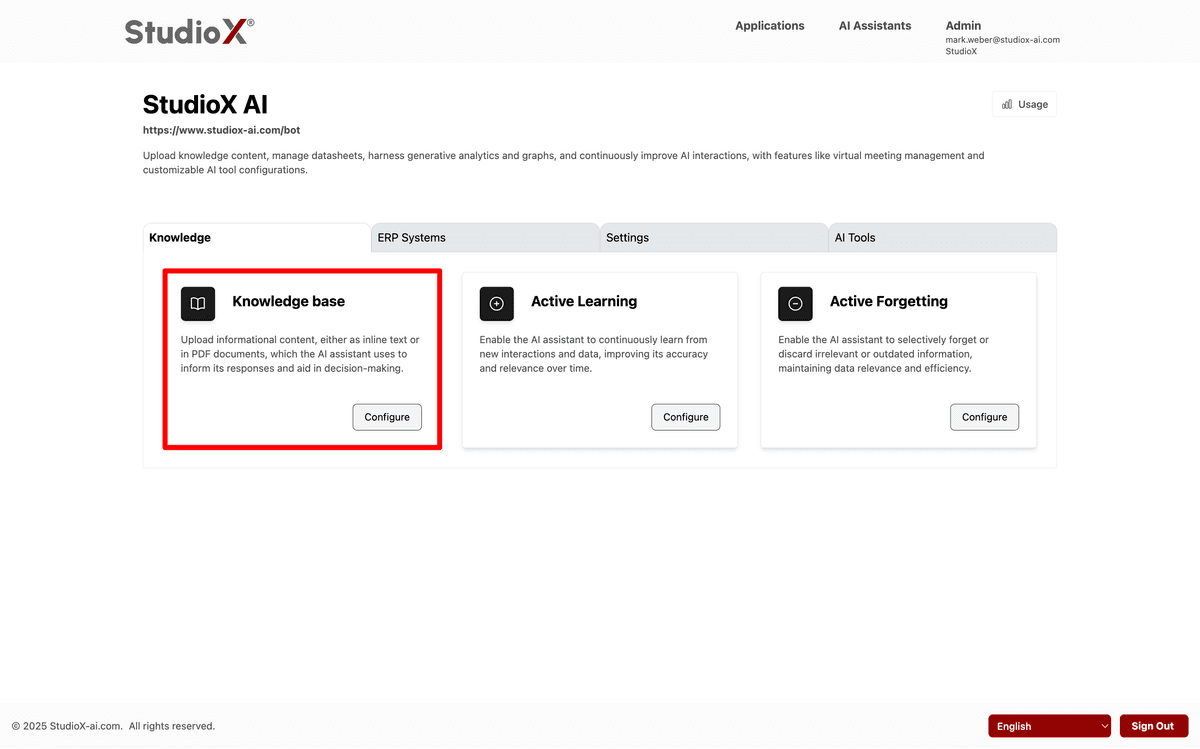
Knowledge Base
Comprehensive guide to managing your AI Assistant's knowledge repository, including document uploads, access controls, and external integrations.
Central Repository for AI Knowledge
The Knowledge Base is where you manage all the information your AI Assistant uses to provide intelligent responses. Upload documents, connect external systems, set permissions, and monitor performance all from one central location.
Getting Started:
Login → AI Assistants → [Your Bot] → Knowledge Base
Core Features
Upload Documents
Support for PDFs, Word docs, presentations, audio, video and more file types.
external_integrations
Connect SharePoint, Confluence, Jira, and SolarWinds for real-time data access.
Access Control
Granular permissions and security controls for sensitive information.
Analytics & Monitoring
Track usage, processing status, and knowledge base health metrics.
Knowledge Base Sections
Knowledge Base Overview
Get started with the basics of managing your knowledge repository and understanding core concepts.
View GuideCurrent Knowledge Management
Upload, organize, and manage documents that your AI Assistant currently uses for responses.
View GuideAccess Control
Configure permissions and restrict access to ensure users only see authorized information.
View GuideGroups & Labels
Organize users and documents using groups and labels for better access management.
View GuideStats & Processing
Monitor knowledge base performance, processing status, and usage analytics.
View GuideExternal Integrations
Connect live external systems to keep your AI's knowledge current and comprehensive.
View GuideQuick Start Guide
New to Knowledge Base? Follow these simple steps to get your AI Assistant up and running with the right information.