Current Knowledge Management
Manage and organize your AI assistant's knowledge base including file uploads, access controls, and content management.
Table of Contents
Overview
Current Knowledge Management is the central hub for managing all information that your AI assistant uses to generate responses. Think of it as your assistant's library where you can add new files, view existing ones, configure access permissions, and manage their properties. Each file uploaded here can be made active, controlled, or disabled depending on your operational needs.
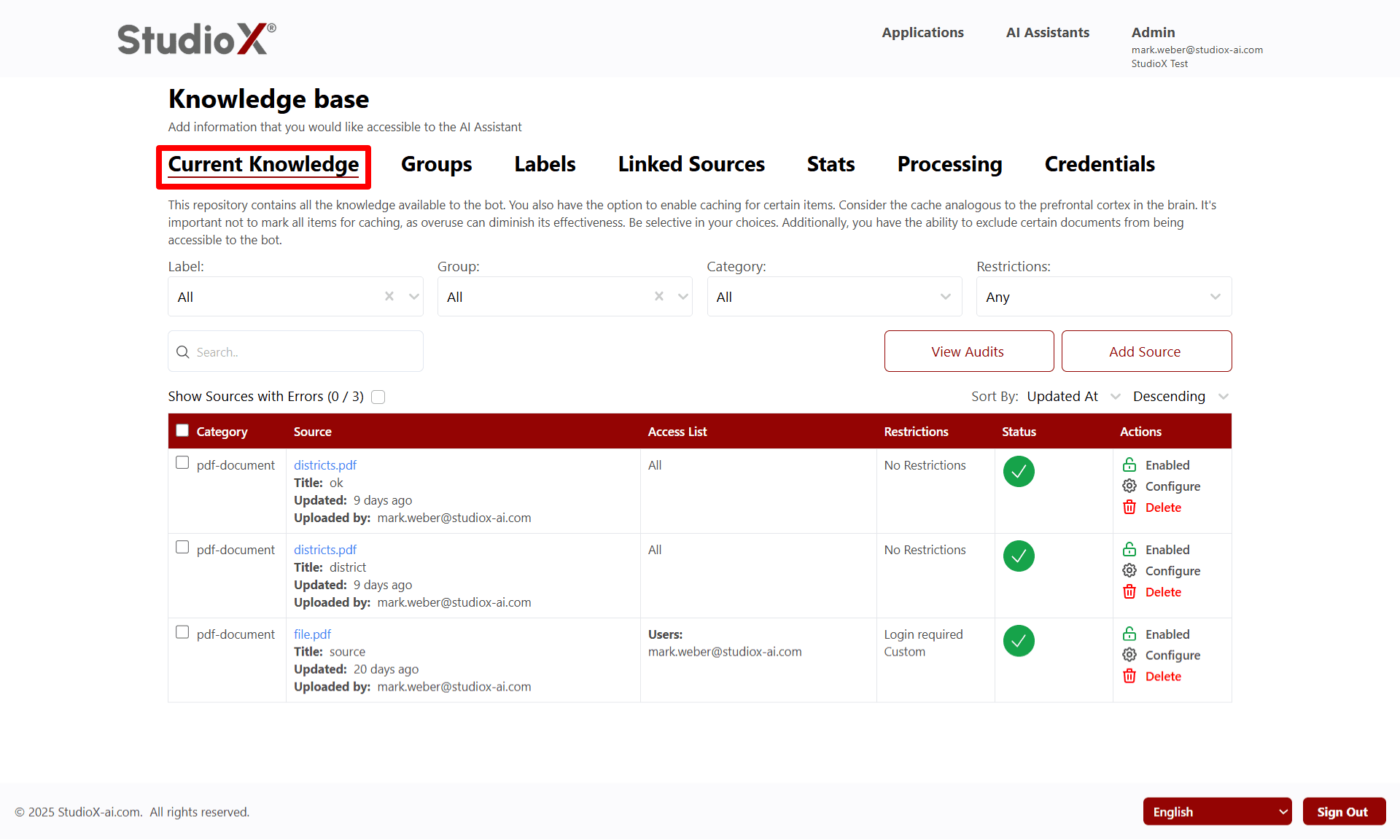
Key Purpose: This page serves as your assistant's primary information repository where you can upload, organize, and control access to all knowledge sources that inform your AI assistant's responses.
Workflow
To begin using Current Knowledge Management, navigate from your dashboard through the knowledge base section. This centralized interface allows you to efficiently manage all aspects of your assistant's knowledge repository.
Access Path: Login → AI Assistant → <your bot> → Knowledge base → Configure → Current Knowledge
Key Features
The Current Knowledge Management system provides comprehensive tools for managing your AI assistant's information repository with advanced filtering, bulk operations, and detailed tracking capabilities.
File Upload Capabilities
- • Upload up to 10 files at once
- • Supported File Types
- • Drag-and-drop folder support
Source Management
- • View source name, upload date, and processing status
- • Enable caching for frequently used content
- • Hide sources from bot usage
- • Audit Trail
Supported File Formats
Managing Sources
Once linked sources are established, you can manage them through various operations including search, sort, refresh, and filtering capabilities. This helps maintain an organized and up-to-date knowledge base.
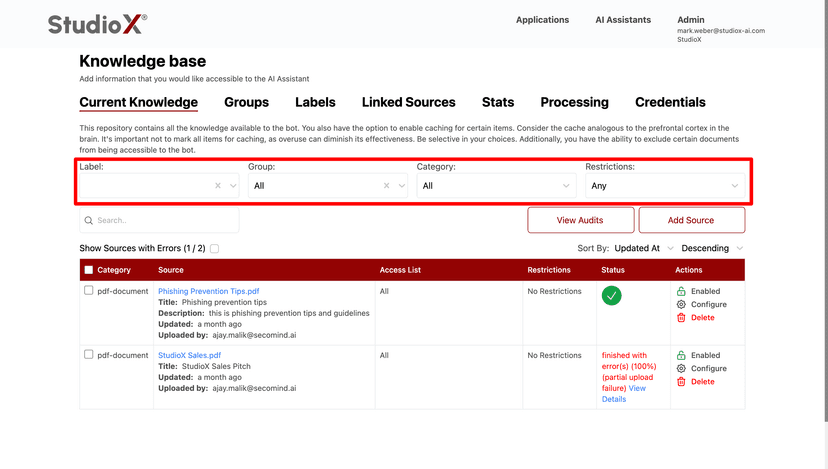
Filter Controls
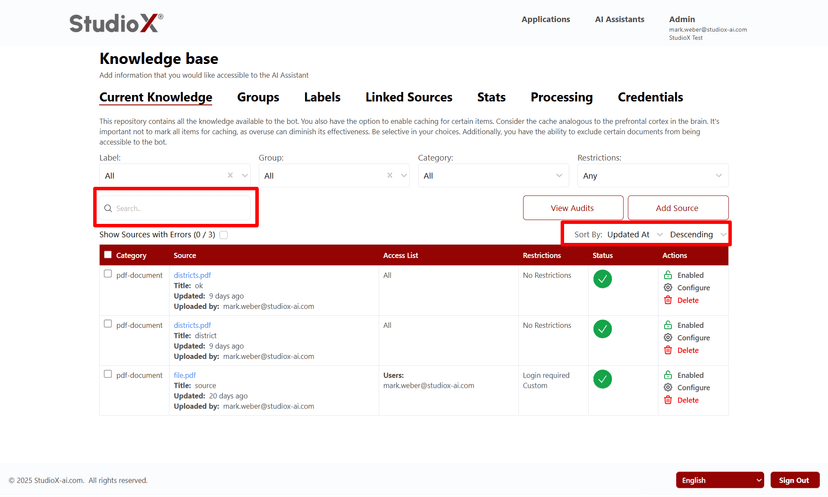
Search and Sort
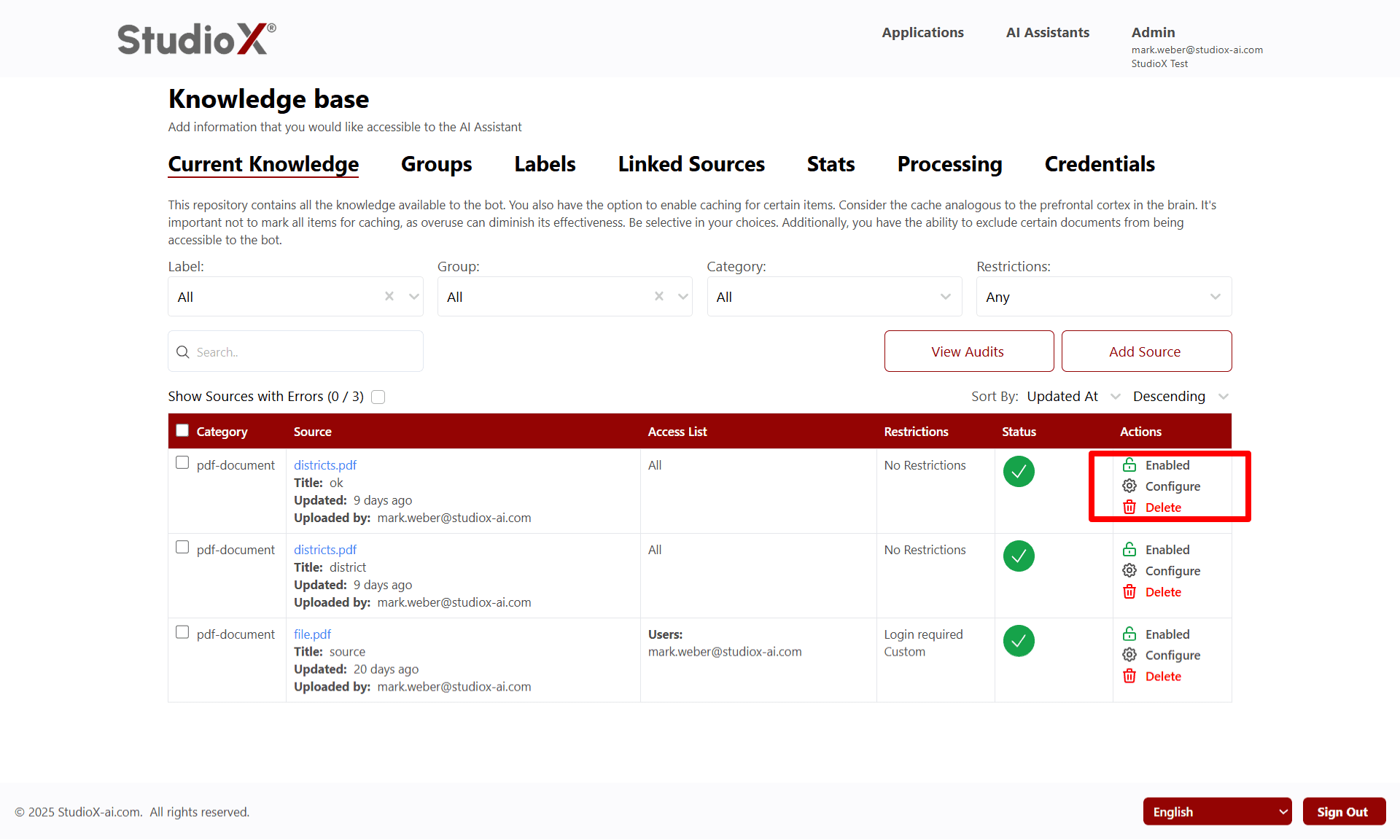
Individual Source Actions
Manage Dropdown Actions
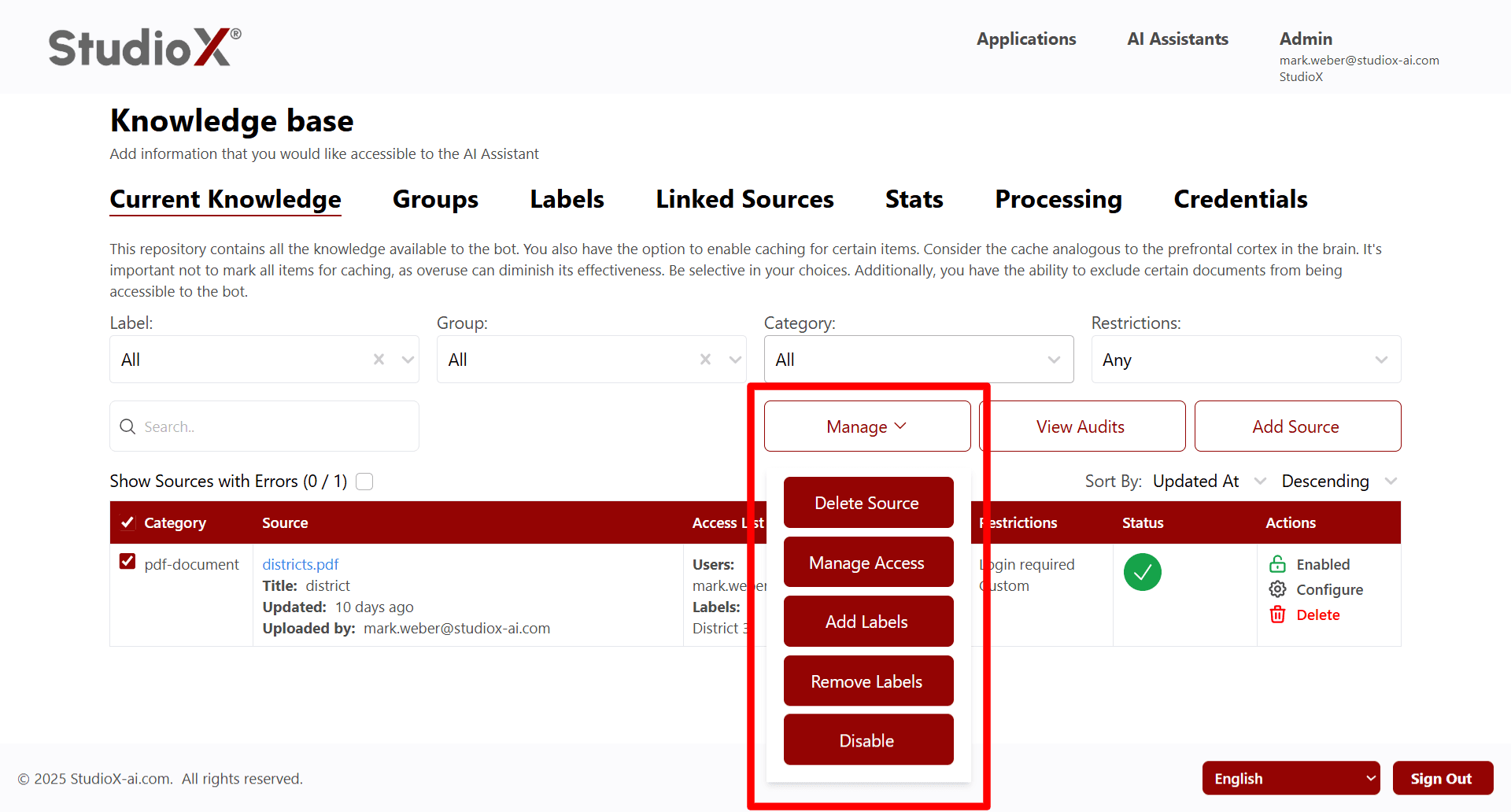
Available Actions
Enable/Disable
Control whether sources are active for the AI assistant
Delete Source
Permanently remove sources from the knowledge base
Configure
Modify source settings and properties
Manage Access
Set user permissions and access restrictions
Adding Sources
Add new content to your knowledge base through multiple upload options including file uploads, plain text entry, URL addition, and drag-and-drop functionality.
Source Type Selection
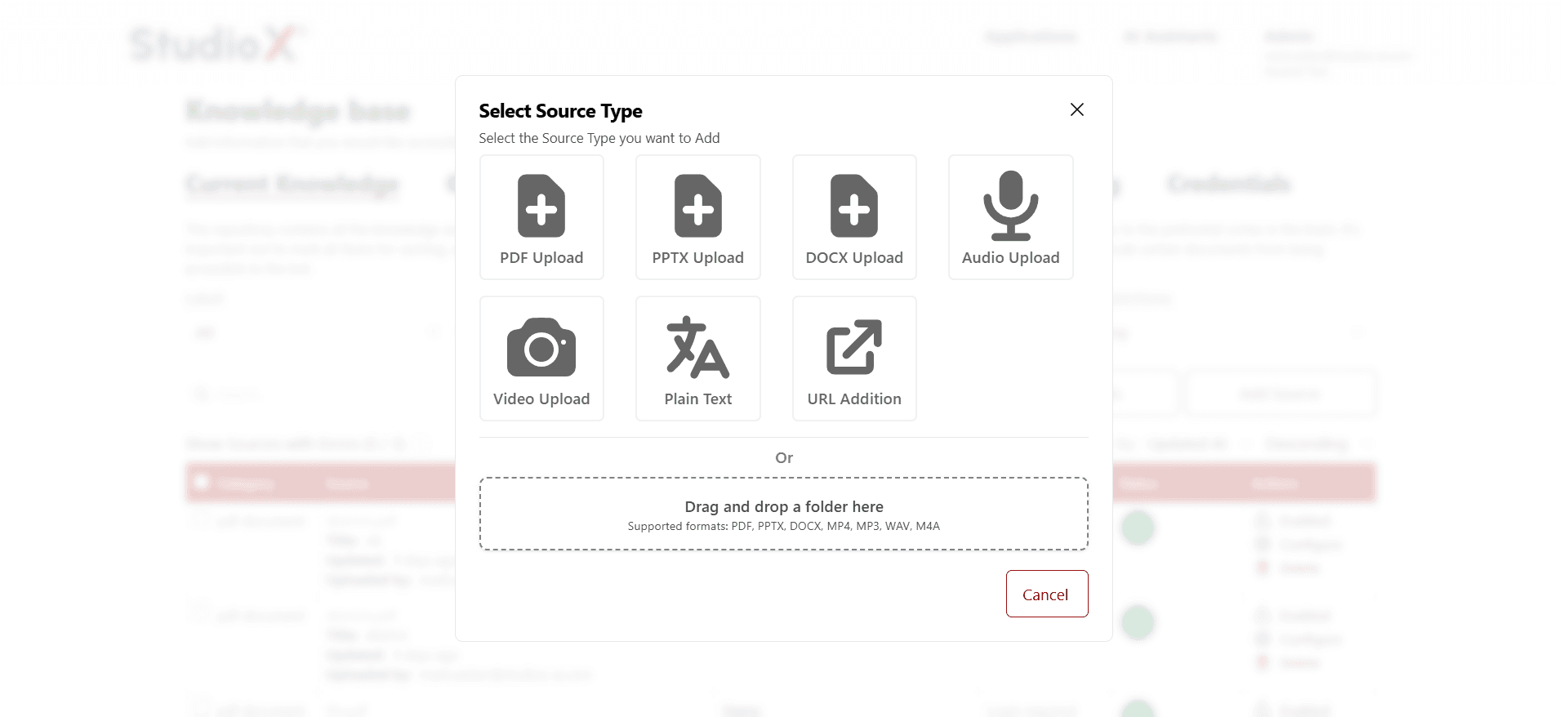
Upload Options
File Upload
The API automatically handles file uploads and makes them available to your Vibes workflows through the attachment system.
Plain Text
Add text content directly through the interface
URL Addition
Import content from web URLs
Upload Tips: You can upload up to 10 files at once and use drag-and-drop for entire folders. Supported formats include PDF, PPTX, DOCX, TXT, MP4, MP3, WAV, and M4A files.
Filtering and Searching
Use advanced filtering and search capabilities to quickly locate and manage specific sources within your knowledge base.
Filter Options
- Label Filter: Filter sources by assigned labels
- Group Filter: Filter sources by group assignments
- Category Filter: Filter by document category (pdf-document, etc.)
- Restrictions Filter: Filter by access restriction level
Search Functionality
Use the search bar to find sources by filename, title, or content. The search function works across all source metadata and content.
Sorting Options
Sort by Updated
Order sources by most recently updated
Sort by Name
Alphabetically organize sources by filename
Bulk Actions
Perform actions on multiple sources simultaneously using checkbox selection and bulk operation tools.
Checkbox Selection
Select multiple sources using checkboxes to perform bulk operations across your knowledge base.
Available Bulk Actions
Bulk Delete
Remove multiple sources at once
Bulk Access Management
Configure access permissions for multiple sources
Bulk Labels
Add or remove labels from multiple sources
Bulk Disable
Enable or disable multiple sources simultaneously
Error Tracking
Monitor and resolve processing errors with detailed error messages and status indicators for failed uploads or processing issues.
Error Indicators
Sources with processing errors are clearly marked with error status indicators and detailed error messages to help with troubleshooting.
Error Filtering
Use the 'Show Sources with Errors' filter to quickly identify and address sources that failed to process correctly.
Error Resolution: Review error details, re-upload failed sources, or contact support for assistance with persistent processing issues.
Audit Trail
Track all changes and actions performed on your knowledge base with comprehensive audit logging that includes user actions, timestamps, and detailed change information.
Audit Log Access
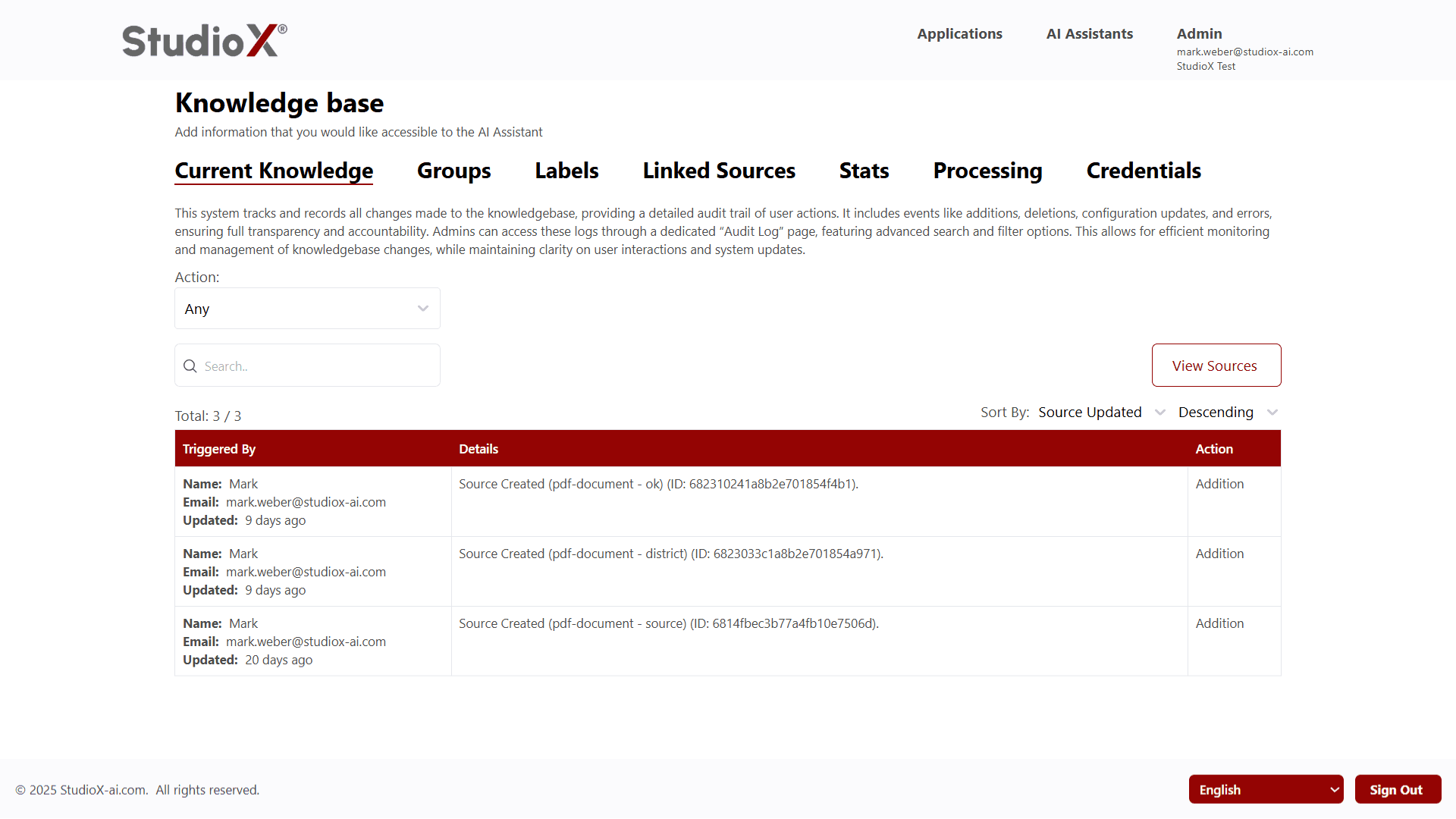
Tracked Information
- User actions and modifications
- Detailed timestamp information
- Types of actions performed (additions, deletions, updates)
- Source-specific change details
Audit Benefits: Maintain full transparency and accountability with detailed tracking of all knowledge base changes, enabling efficient monitoring and management of user interactions and system updates.