Usage Management
Usage Management in the Platform gives Business-Admins complete visibility into how resources are being consumed across businesses and users.
Table of Contents
Usage Management Overview
The Usage section gives Business-Admins complete visibility into how resources are being consumed across businesses and users. You can track total and current usage of tokens and storage – both at the business and individual user level. Visual graphs help you analyze trends daily, weekly, or monthly. The interface supports features like search, sort, and structured tables.
Access Path:
- Login to the Platform
- Go to Admin in the header navigation
- It shows a menu that has multiple options. Select Usage
Business Usage
Provides detailed usage insights for each business.
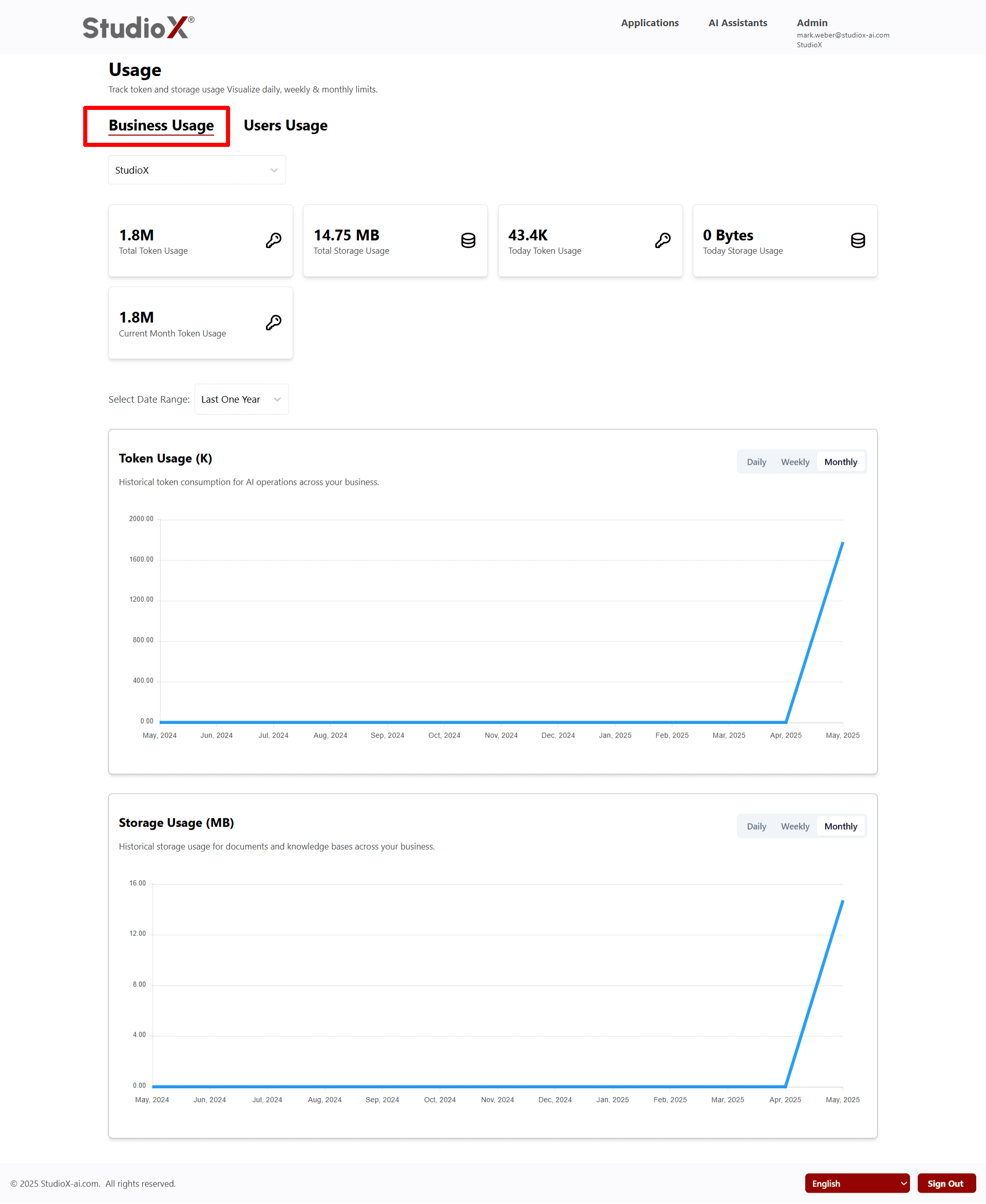
Business-Admins can view usage limits showing total token used, total storage used, today's token usage, today's storage usage, and current month token usage
Usage Metrics
- Total Token Usage
- Total Storage Usage
- Today Token Usage
- Today Storage Usage
- Current Month Token Usage
Usage Graphs and Analytics:
- Click on the view action to see data range on daily, weekly, and monthly basis with graphs
- Select date range in custom based on your need or view data for one year
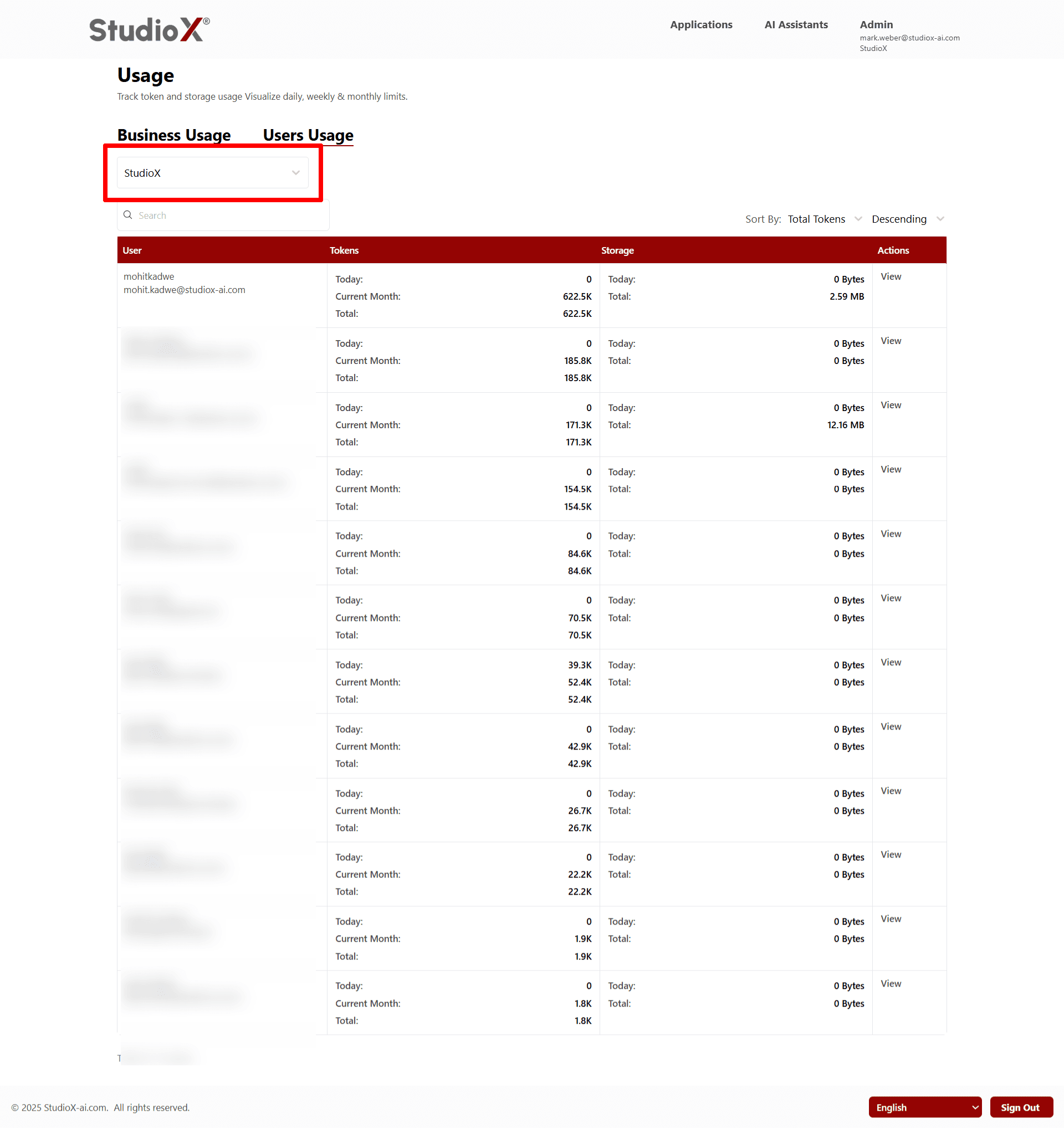
Switch Between Businesses
Business-admins can easily switch between multiple businesses to view usage data.
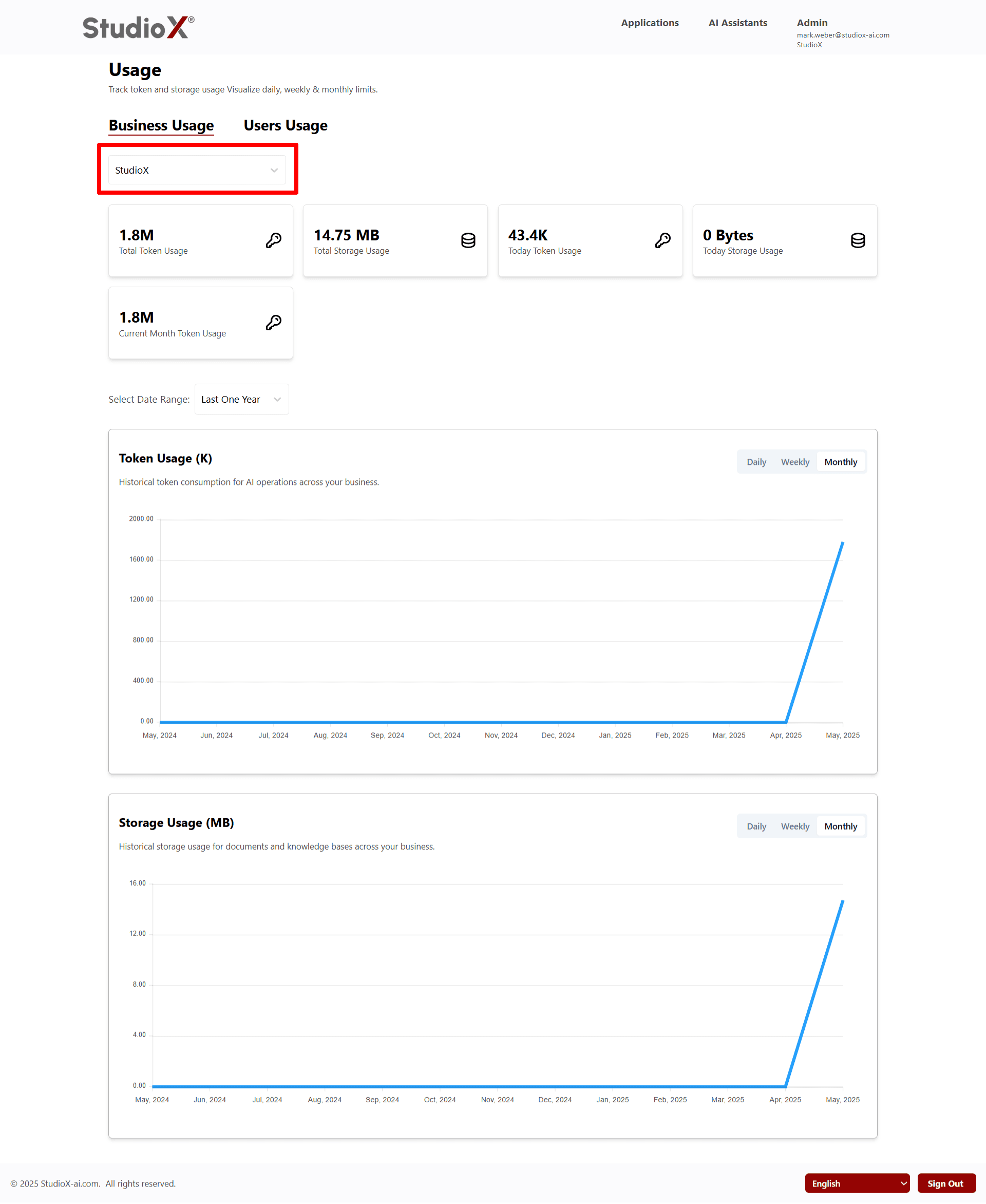
- Use dropdown selector at the top of the page to switch between businesses
- Upon selecting a different business, the page refreshes automatically
- Loading usage details specific to the selected business
- Manage and review usage for multiple entities without repeated login
Users Usage
User usage shows token and storage consumption for each user.
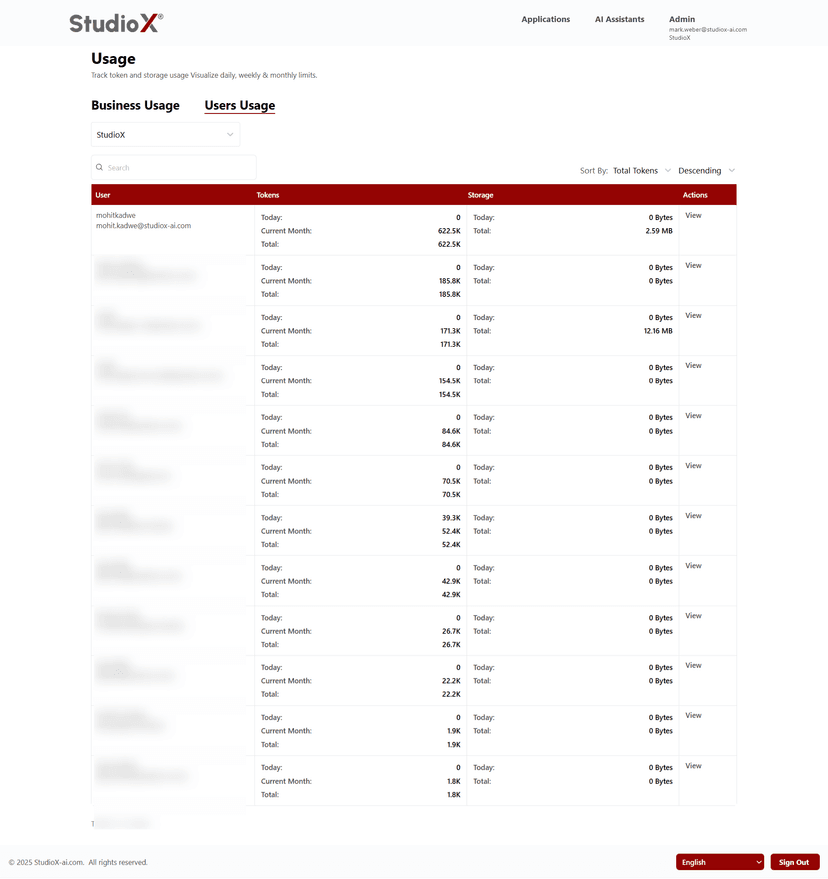
Admins can view today's usage, total usage, and usage for the current month for individual users
Table View and Structure
Selecting the 'View' action brings up a graph with detailed insights on token and storage usage
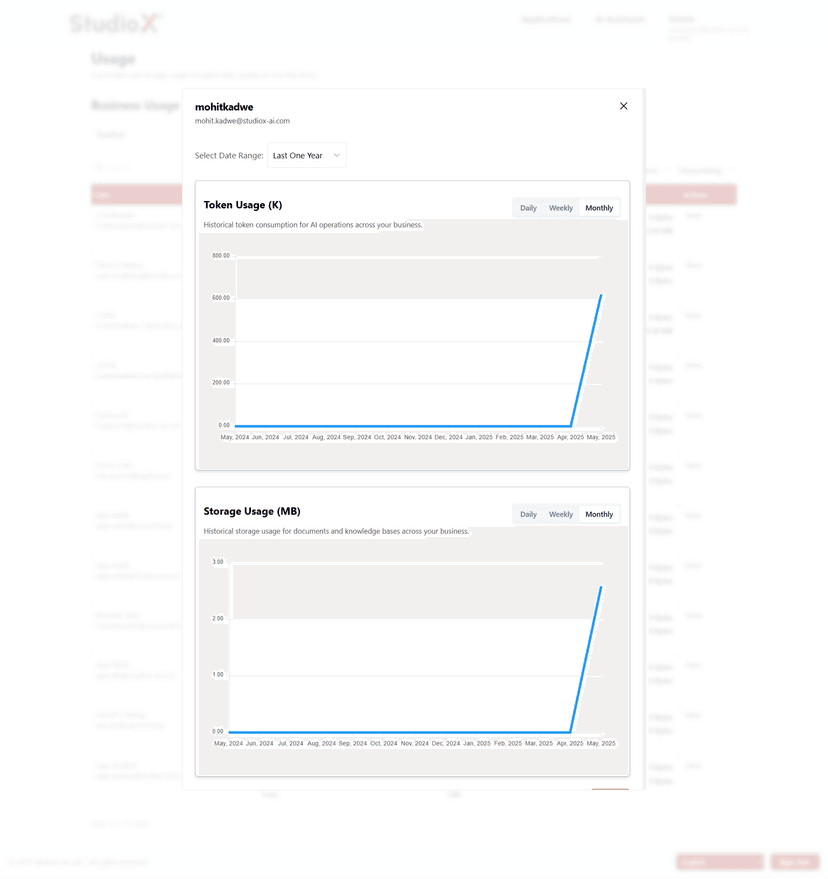
Selecting the 'View' action brings up a graph with detailed insights on token and storage usage
- View usage data by day, week, or month with visual graphs
- Filter data by custom date range or view past year's trends to monitor activity and performance per user
- Usage pattern monitoring
Table View and Structure
All user usage data is displayed in tabular format with key columns.
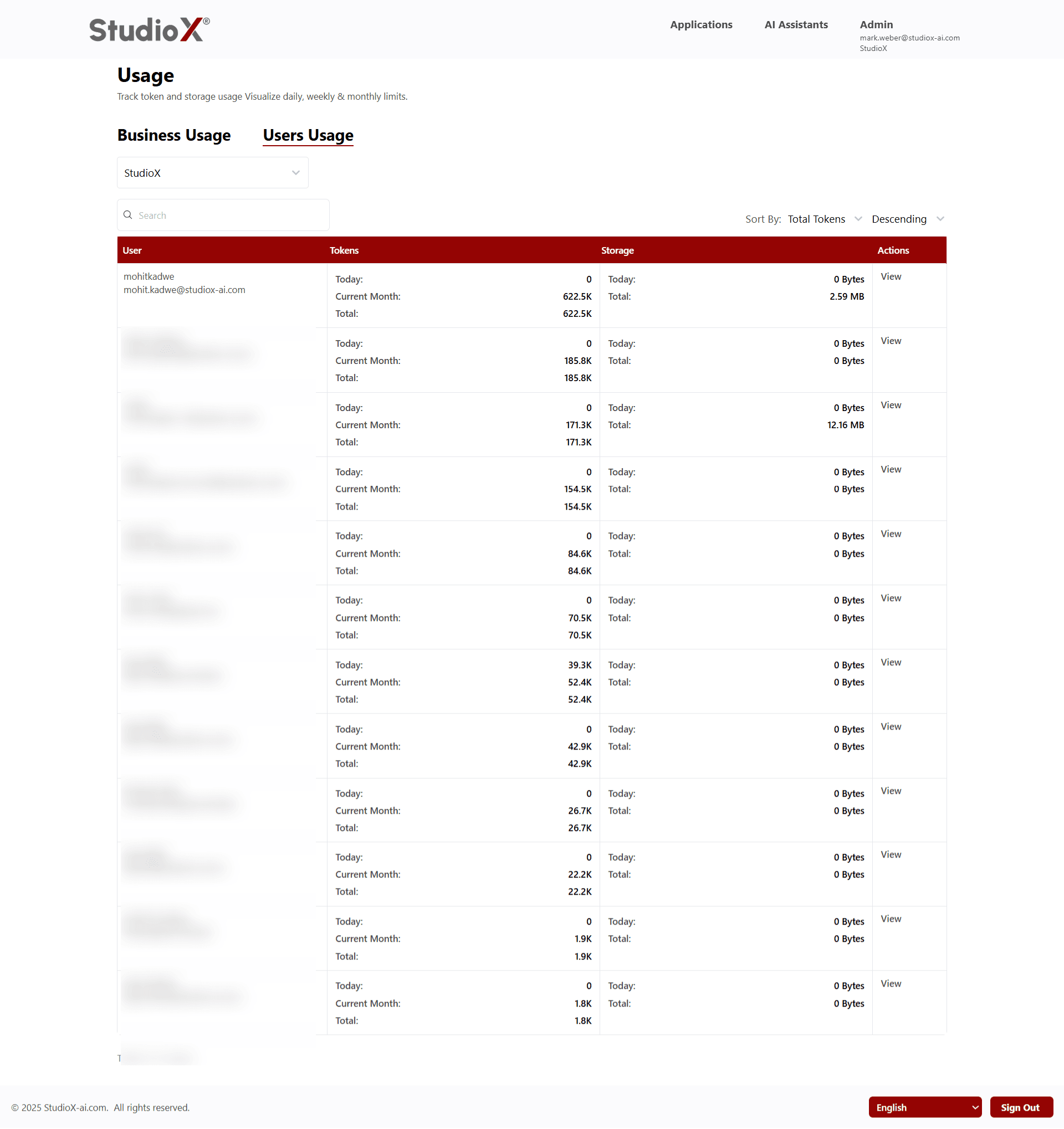
Table includes User Name, Tokens Used, Storage Used, and available Actions
- User Name
- Tokens Used (Today, Current Month, Total)
- Storage Used (Today, Total)
- Available Actions
Structured view helps Business-Admins quickly scan usage across users and perform actions where needed
Usage metrics are laid out clearly, and graphs are available for visual representation of usage trends
Search and Sort Usage
Users can search and sort to quickly locate usage information.
Search Functionality
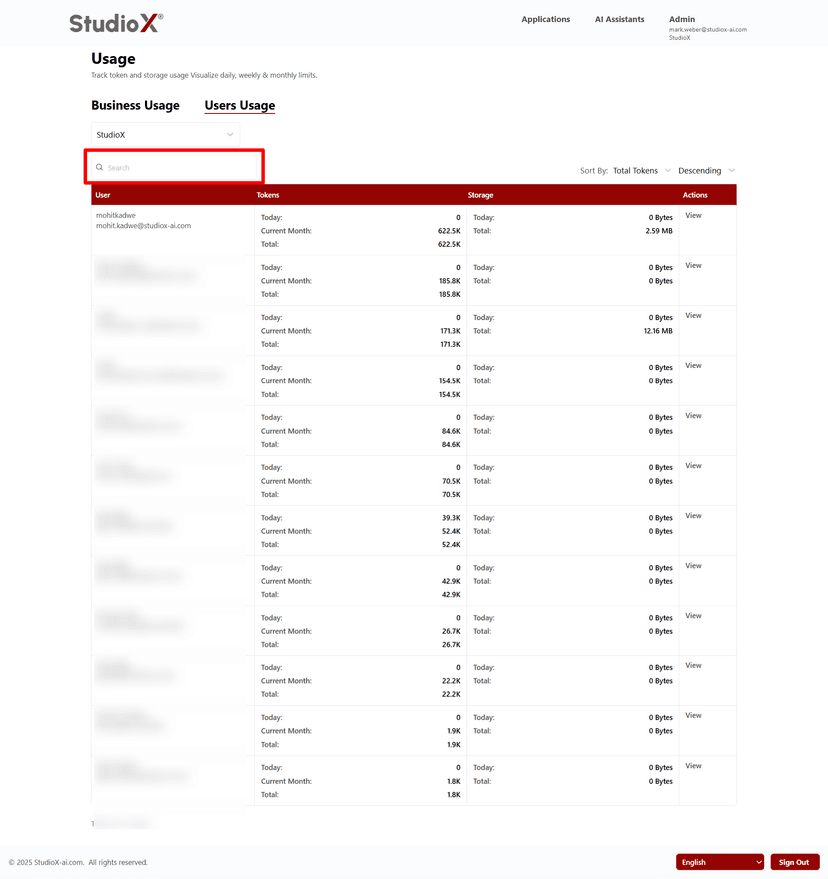
- Search by name or email using the top search bar
- Quickly locate specific user usage data
Sort Functionality
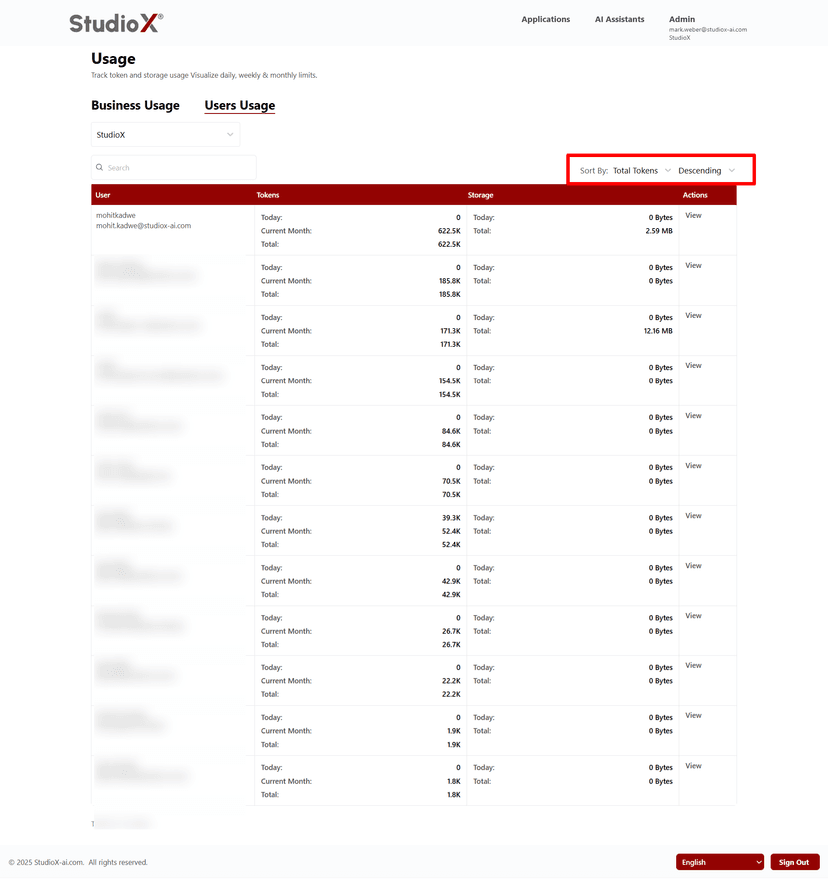
- Sort by clicking on column headers (name, email, today token, total tokens, today storage, total storage)
- Sorting is available in both ascending and descending order
Usage Graphs and Analytics
Visual graphs help analyze usage trends across different time periods.
Visual representation of usage patterns and consumption trends
- Token Usage (K) - Historical token consumption for AI operations
- Storage Usage (MB) - Historical storage usage for documents and knowledge bases
- Analyze trends daily, weekly, or monthly
Daily, Weekly, Monthly views available: Daily, Weekly, Monthly
Date Range Selection
Select custom date ranges or predefined periods for usage analysis.
Available Options
- Last One Year
- Custom date range selection
- Daily, Weekly, Monthly views
Note: Analyze trends daily, weekly, or monthly provides Complete visibility into resource utilization