30mins
30mins.com is an intuitive scheduling and calendar management platform designed for seamless collaboration and efficient meeting organization. Ideal for enterprises, teams, and individual professionals.
Table of Contents
Overview
30mins.com is a powerful calendar and meeting management platform that simplifies the scheduling process, enhances productivity, and elevates client interactions. It integrates seamlessly with existing calendar systems and provides comprehensive booking management solutions.
External Platform: 30mins.com is a partner application that operates independently. You'll need to create a separate account at 30mins.com to access its features.
Key Features
- Calendar Integration
- Rich, personalized booking links with professional profiles and interactive content
- Automatic timezone detection and conversion for global clients
- Enterprise-ready team management with round-robin scheduling
- Secure payment processing with flexible options including escrow
- Recurring Meetings
Getting Started
To begin using 30mins.com, you'll need to create an account on their platform. The registration process is straightforward and offers multiple sign-up options for your convenience.
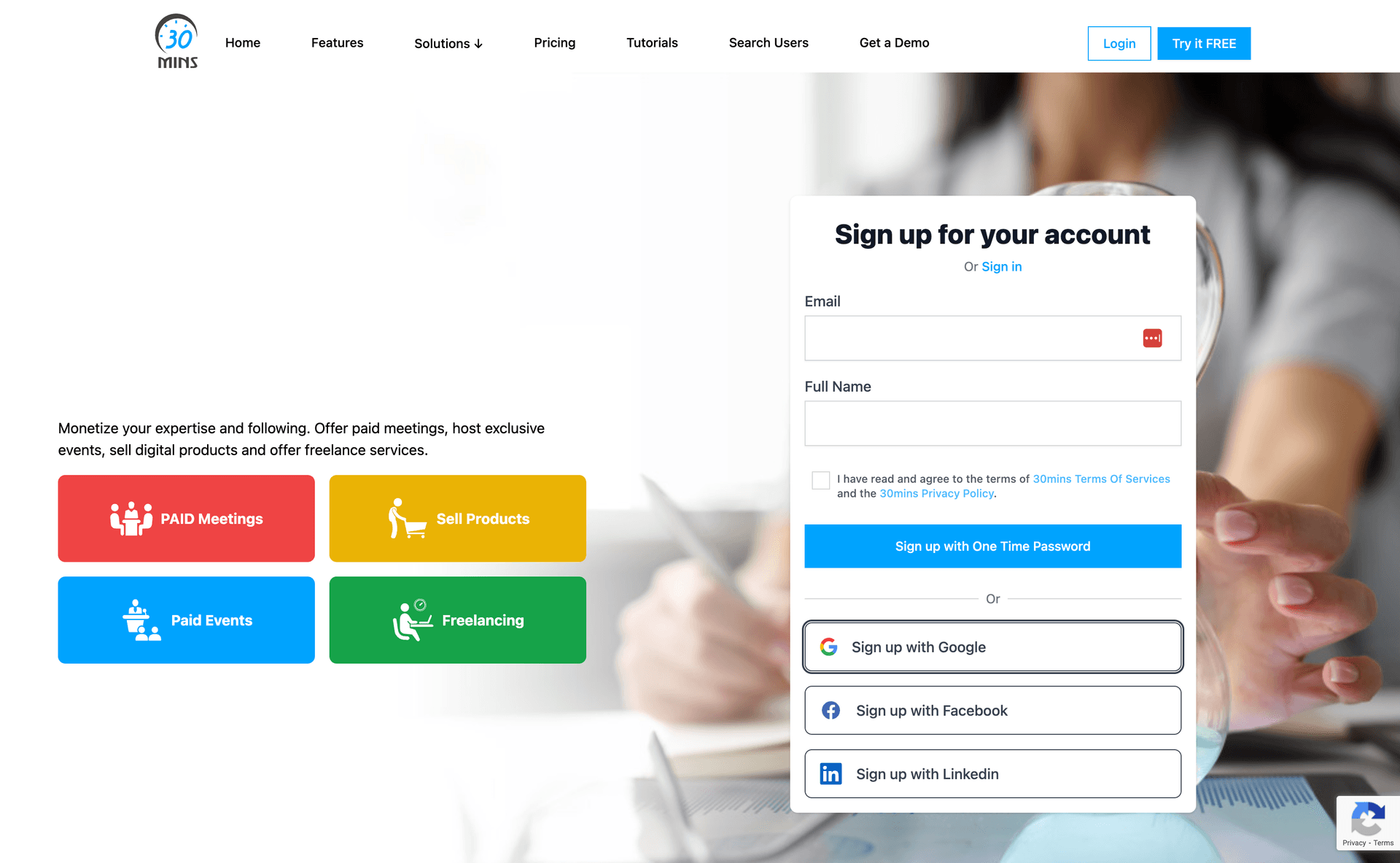
Sign-up Options
- Email and password registration
- Sign up with Google account
- Sign up with Facebook account
- Sign up with LinkedIn account
Quick Start: You can start using 30mins.com immediately after registration. The platform guides you through the essential setup steps to get your calendar and booking system operational quickly.
Account Setup
After registration, you'll be guided through a comprehensive setup process that includes profile creation, calendar integration, and service configuration.
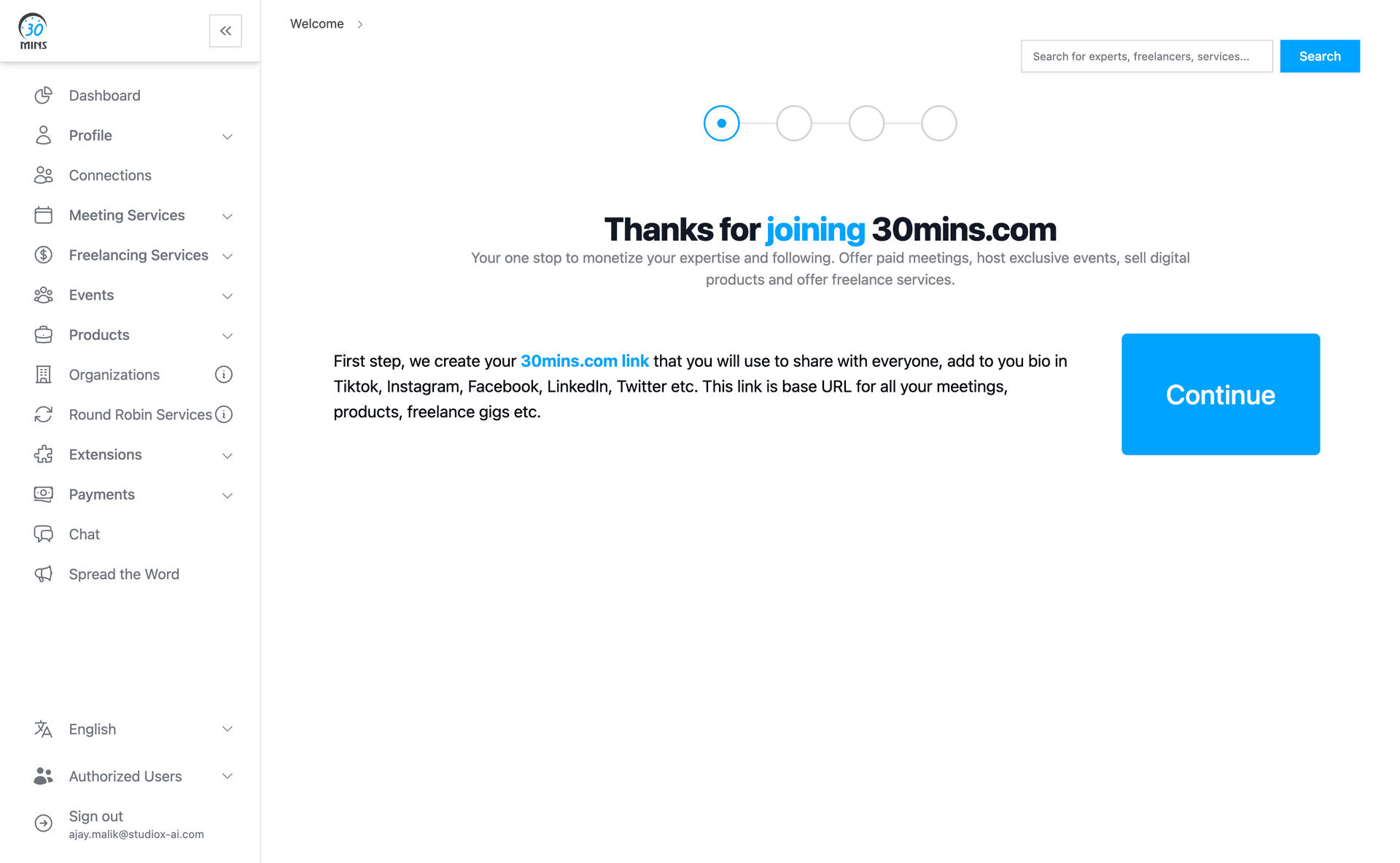
Initial Setup Steps
- Create your professional profile with personal and business information
- Connect your existing calendars (Google, Outlook, etc.)
- Set your availability preferences and working hours
- Create meeting services with duration, type, and pricing
Profile Creation
Your profile serves as the foundation for your booking page. It includes personal information, professional details, and customization options that clients will see when booking meetings.
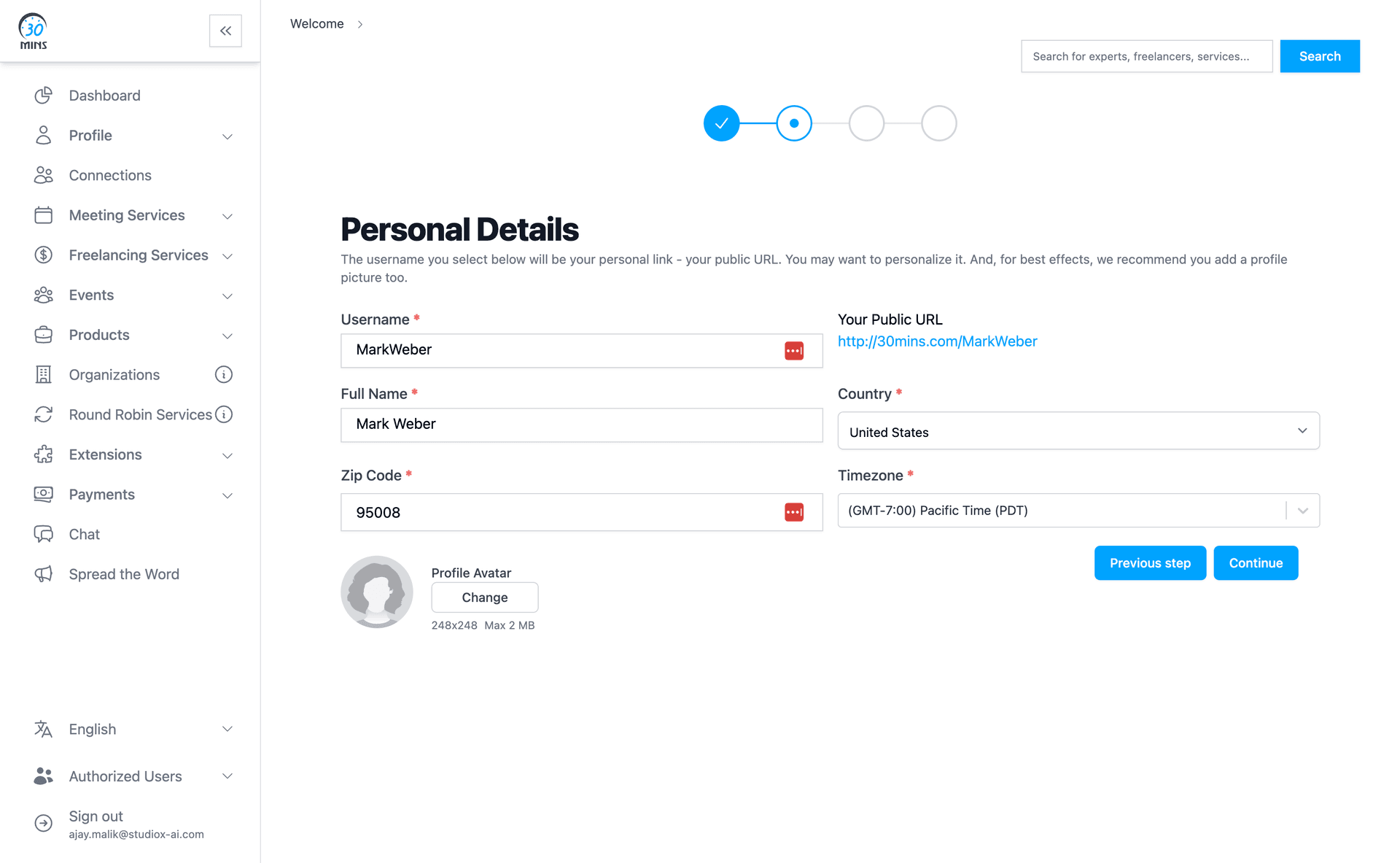
Profile Configuration Fields
- Username: Your unique identifier that becomes part of your booking URL
- Full Name: Your professional name displayed to clients
- Country & Timezone: Your location settings for proper timezone handling
- Profile Avatar: Professional photo that appears on your booking page (248x248 max 2 MB)
Public URL Creation: Your username creates a personalized booking URL (e.g., http://30mins.com/YourUsername) that you can share with clients and include in your professional materials.
Meeting Services
Meeting services define the types of appointments you offer. Each service can have unique settings for duration, pricing, availability, and booking requirements.
Service Creation
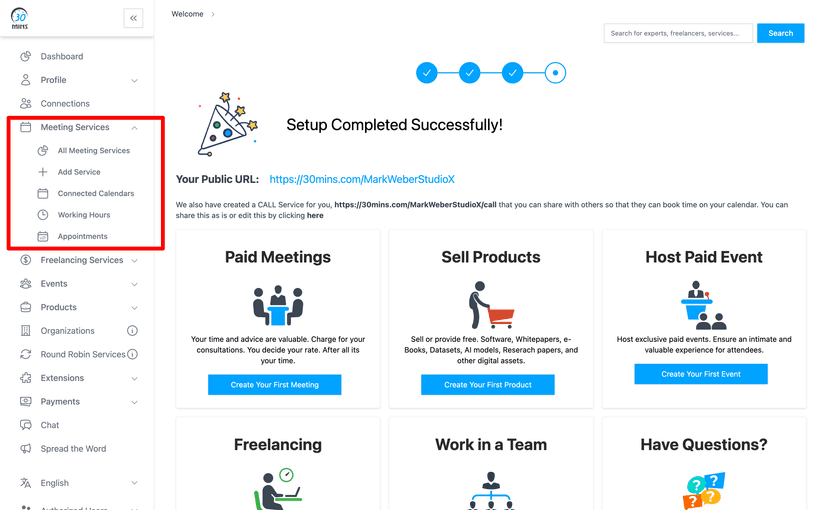
Service Details
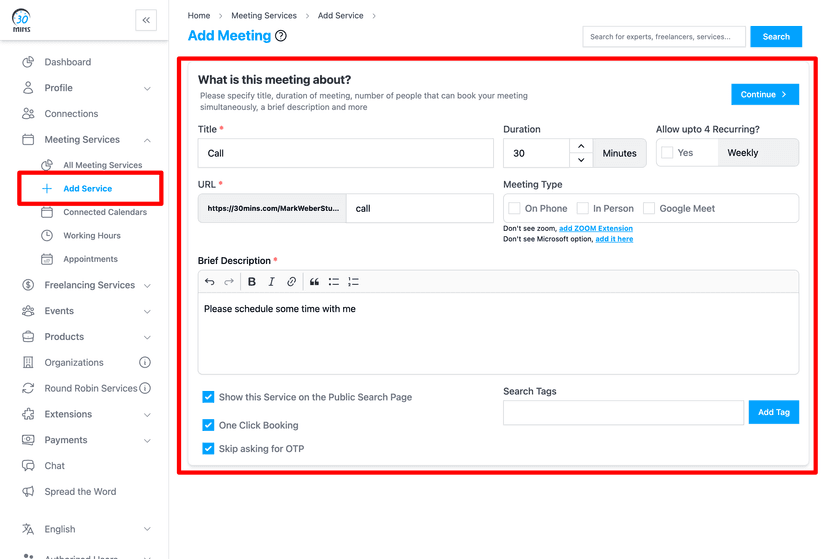
Service Configuration Options
- Meeting Title: Descriptive name for your meeting type (e.g., 'Consultation Call', 'Strategy Session')
- Duration: Length of the meeting in minutes (15, 30, 60, etc.)
- Meeting Type: Format options: Google Meet, Zoom, In-Person, or Phone
- Description: Brief explanation of what the meeting covers and expectations
- Booking Settings: Advanced options like one-click booking, OTP requirements, and public visibility
Calendar Integration
30mins.com connects with your existing calendar systems to ensure accurate availability and prevent double bookings. The integration is secure and provides real-time synchronization.
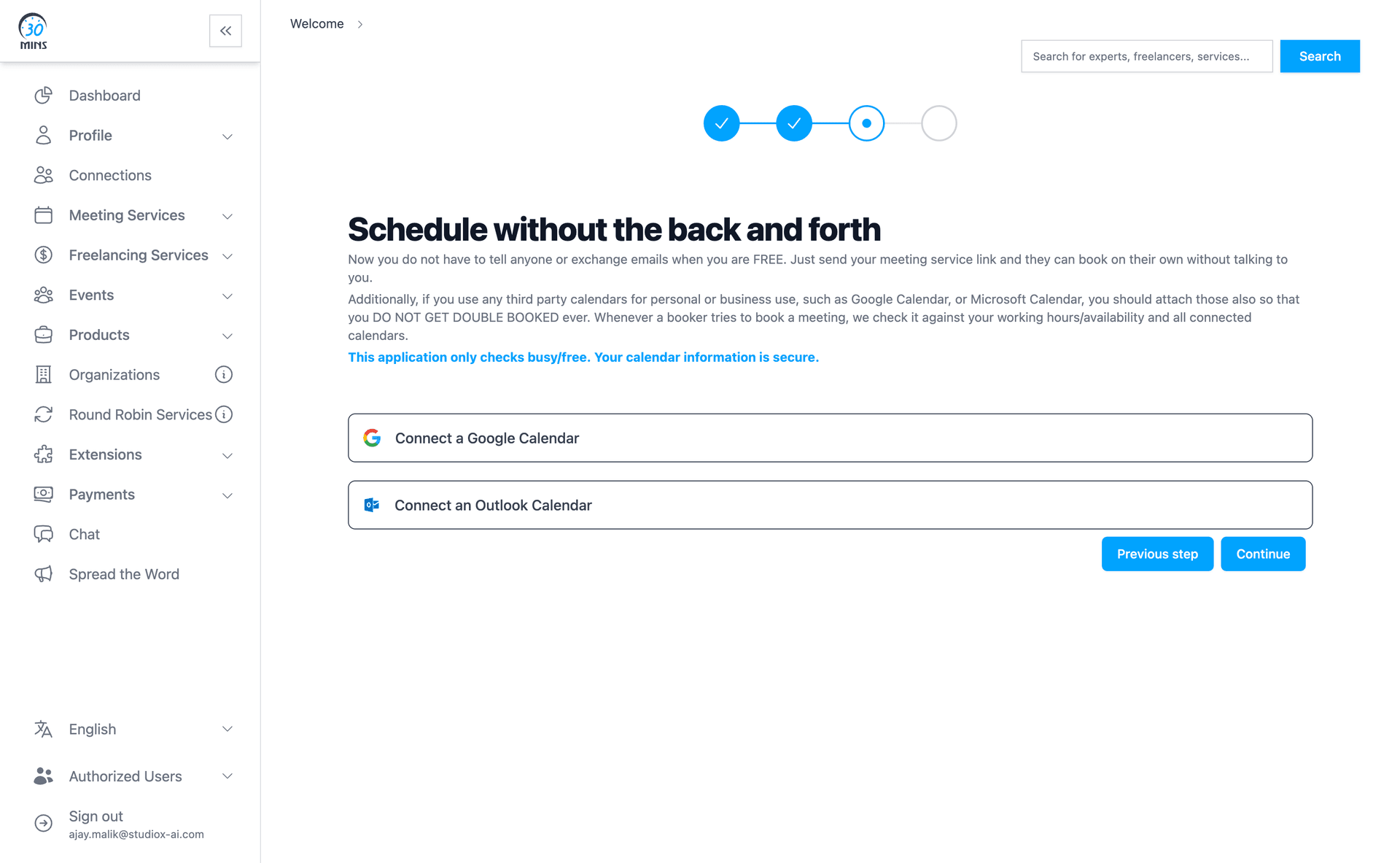
Supported Calendar Systems
- Google Calendar integration with full sync
- Microsoft Outlook/Office 365 calendar support
- 30mins.com native calendar system
Calendar Synchronization: The platform only checks your availability and prevents conflicts. Your calendar information remains secure and private.
Booking Links & Client Experience
Your personalized booking link provides clients with an intuitive interface to schedule meetings. The system automatically handles timezone conversion and availability checking.
Booking Interface
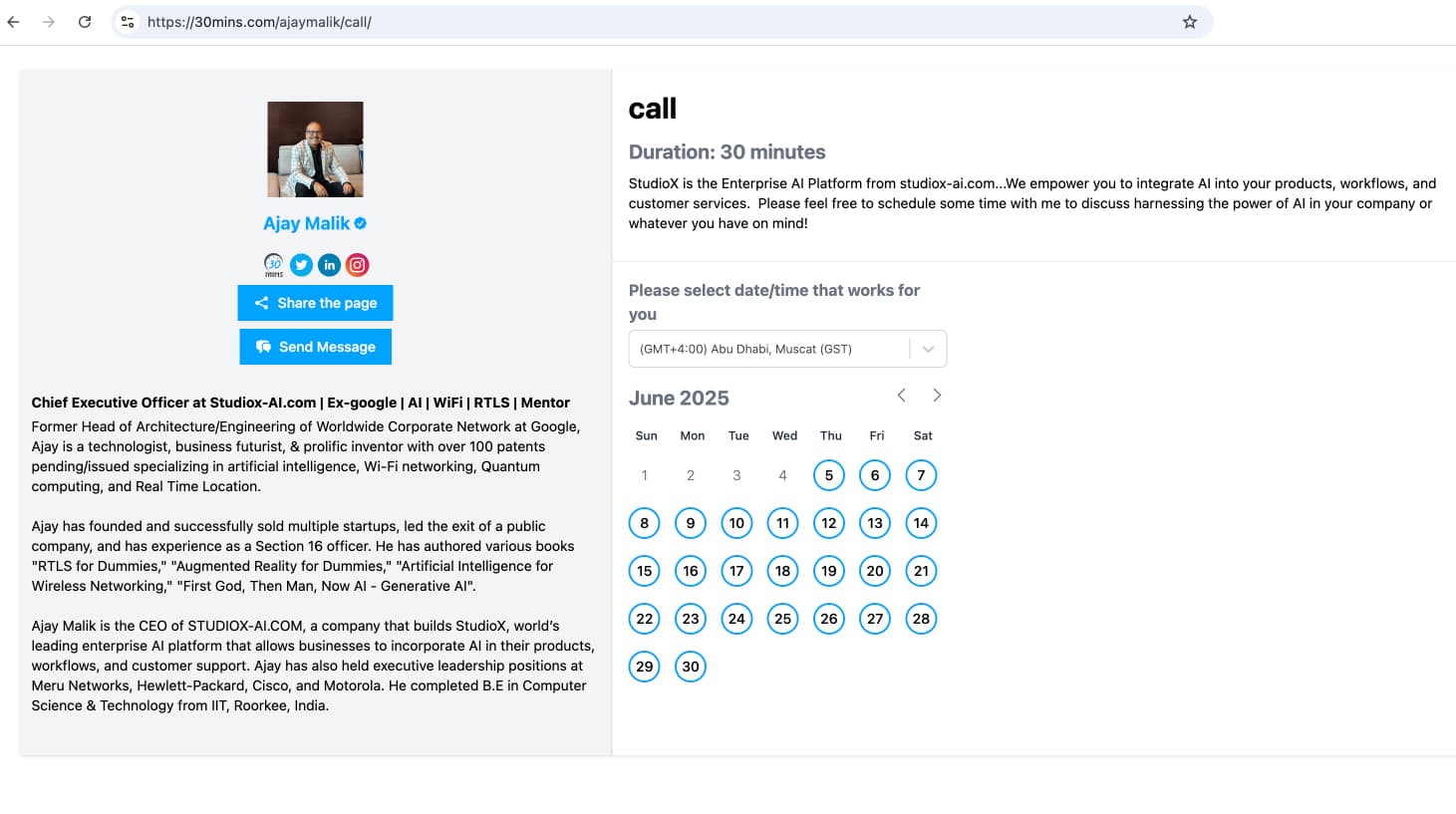
Booking Features
- Real-time availability display based on connected calendars
- Automatic timezone detection and conversion for clients
- Immediate booking confirmation and calendar invites
- Automatic calendar event creation for all participants
Example Booking Link: https://30mins.com/ajaymalik/call
Advanced Scheduling Features
30mins.com offers sophisticated scheduling capabilities that go beyond basic calendar booking, providing enterprise-level functionality for complex scheduling needs.
Advanced Scheduling Options
- Recurring Meetings: Set up automatic recurring appointments (weekly, monthly, quarterly)
- Round Robin Scheduling: Distribute meetings evenly across team members automatically
- Buffer Times: Add preparation and wrap-up time between meetings
- Booking Limits: Control how far in advance clients can book and cancellation policies
- Pre-meeting Questions: Collect essential information from clients before the meeting
Payment & Monetization
30mins.com supports various payment models, allowing you to monetize your time and expertise while providing secure transaction processing.
Payment Models
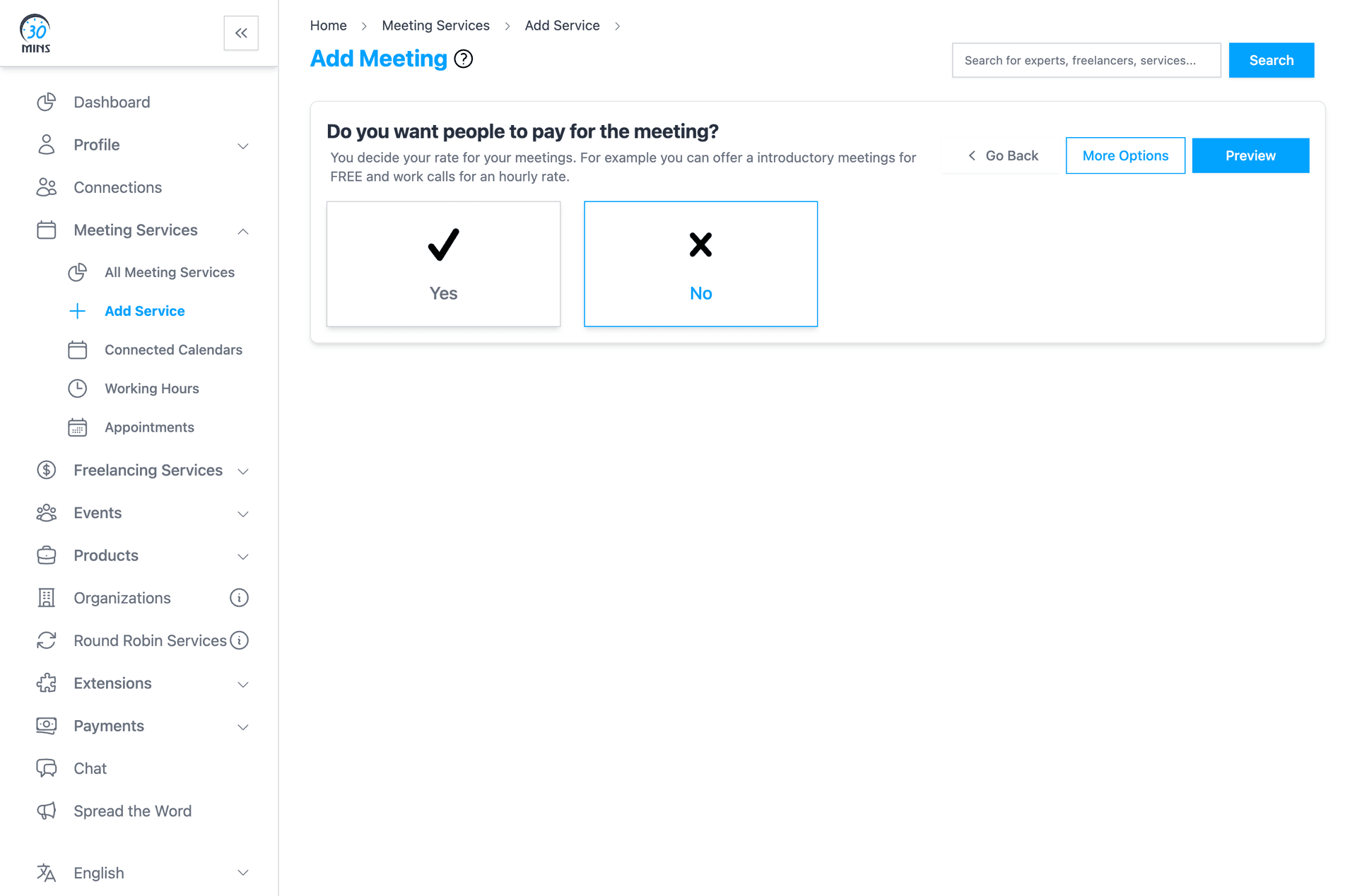
- Free Meetings: Offer complimentary consultations or internal team meetings
- Paid Meetings: Set hourly rates or fixed fees for consultations and services
- Escrow Payments: Secure payment holding until meeting completion for added trust
Monetization Opportunities: Transform your expertise into revenue streams through paid consultations, coaching sessions, and professional services.
Team & Enterprise Features
For organizations and teams, 30mins.com provides comprehensive management tools that enable collaborative scheduling and centralized administration.
Team Management Capabilities
- Centralized team scheduling and coordination
- Shared team availability and collective calendar management
- Automatic workload distribution across team members
- Team performance analytics and meeting insights
Availability Management
Sophisticated availability controls allow you to manage when clients can book meetings, accommodating different time zones and varying schedule requirements.
Availability Configuration
- Set global working hours and days
- Define unique availability for different meeting types
- Multi-timezone support for international clients
- Block specific dates or time periods
Timezone Management: Clients automatically see available times in their local timezone, eliminating confusion and scheduling conflicts.
Client Experience
The client booking experience is designed to be seamless and professional, requiring minimal effort while providing maximum convenience and clarity.
Client Experience Benefits
- Simple, intuitive booking process without complexity
- Clients can book without creating accounts
- Immediate booking confirmations with all details
- Automated email and SMS reminders
- Automatic calendar invitations with meeting links
Professional Brand Image: 30mins.com booking pages enhance your professional image with polished design, smooth functionality, and reliable service delivery.