Agent Creation
Learn how to create new AI assistants, configure their settings, and set up initial knowledge sources.
Table of Contents
Creating an Assistant Overview
In the Platform, all users can create Personal Assistants, while only Business Admins can create AI (Business) Assistants. Assistants help automate tasks, answer queries, and enhance productivity based on uploaded knowledge. Users can define a name, URL, assign roles, upload documents, and manage assistant visibility through sorting and search features.
User Permissions:
- All users can create Personal Assistants for individual use
- Only Business Admins can create Business Assistants for organizational use
Workflow
You can access the creation flow through the AI Assistant section and perform various actions to create and configure your assistants.
Access Path:
Home → AI Assistant → Personal Assistant / Business Assistant → 'Create an AI Assistant' Or 'Create Personal Assistant'
Personal Assistant
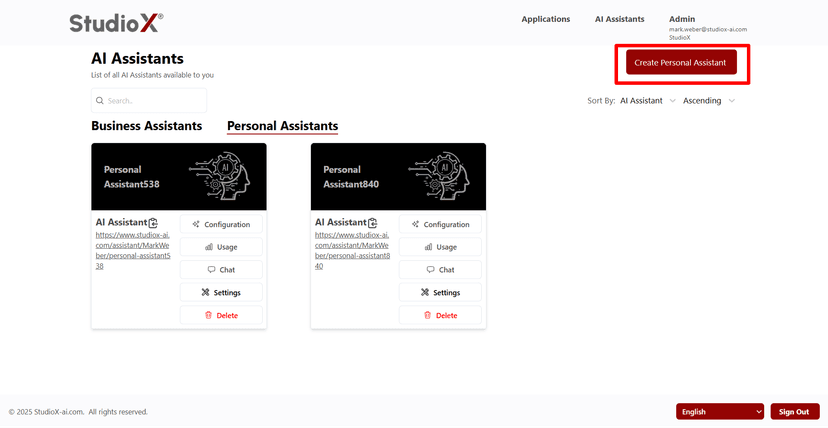
To create a new Personal Assistant, follow these steps. Select Personal Assistant from the tabs and click the Create Personal Assistant button. Once initiated, a creation form will appear prompting the user to upload documents and configure assistant settings. All available roles (Business Admin, Business Support, User) within the Platform can create Personal Assistants.
Create Personal Assistant Button
Select Initial Documents
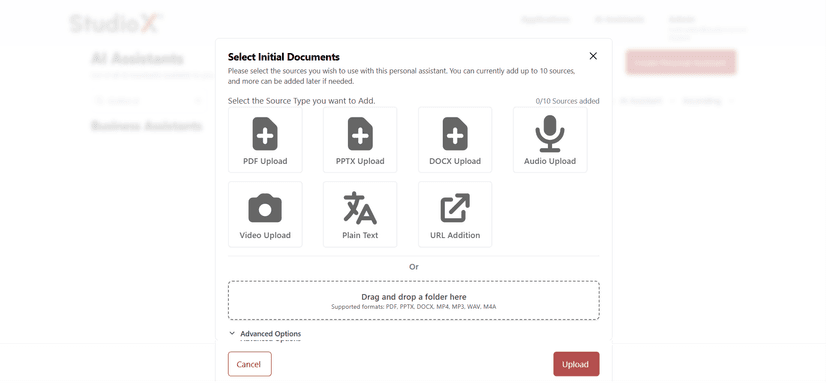
Knowledge Sources Upload
Users can upload knowledge sources for the assistant during creation. These help the bot answer questions accurately.
- Upload up to 10 files at once
- Users can also drag and drop a folder containing supported files
- Additional documents can be uploaded later via the Knowledge section
Supported Formats: PDF, PPTX, DOCX, MP4, MP3, WAV, M4A, TXT
Business Assistant
While being under 'Business Assistant', click on Create an AI Assistant to create a business assistant. Only Business Admins can create Business Assistants (AI Assistants). Users can upload knowledge sources for the assistant during creation. These help the bot answer questions accurately.
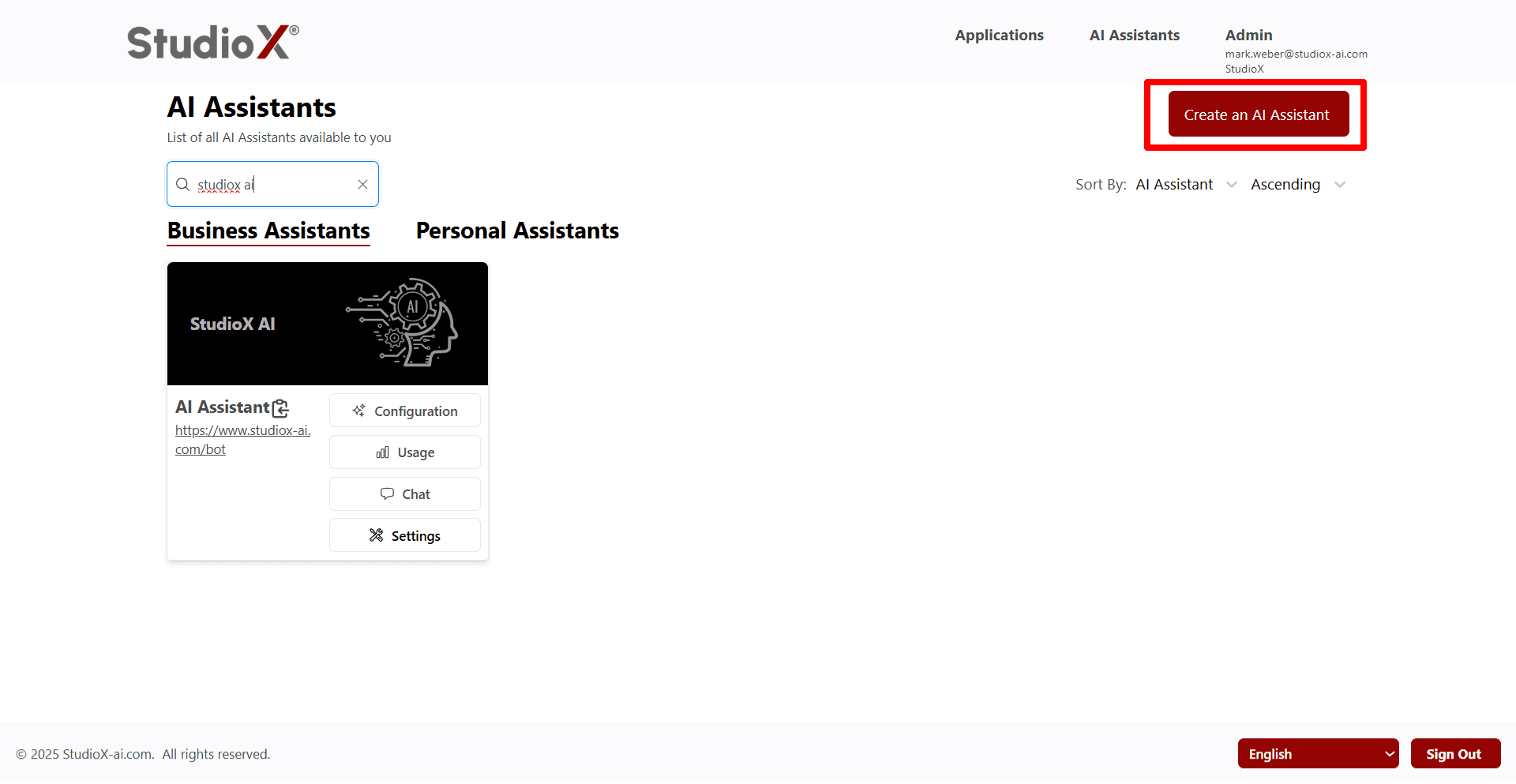
Admin Only Feature: Only Business Admins can create and manage Business Assistants for organizational use
Advanced Options
Clicking on the Advanced Options expands configuration features for the assistant, providing detailed customization capabilities for enhanced functionality.
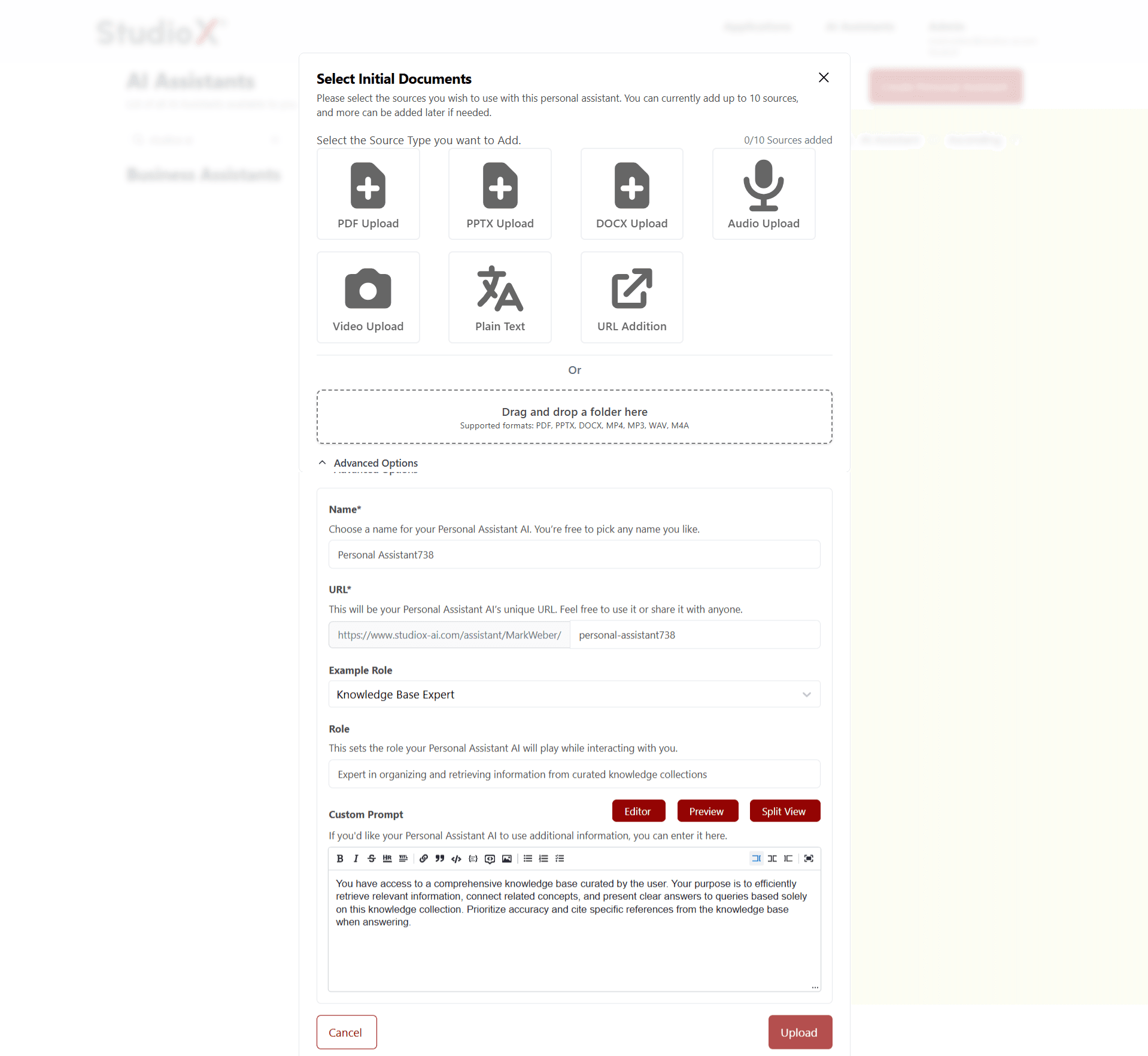
Advanced Configuration Options
- Name the Assistant: Choose a unique name that reflects its purpose
- Define a Custom URL: This becomes the assistant's shareable link
- Assign a Role: Select a default role that will have access
- Provide Additional Info: Add internal notes or instructions
- Choose View Mode: Preview split views or layouts
Custom Prompt Features:
- Rich text editor with formatting capabilities
- Editor, Preview, and Split View modes available
- Bold, italic, lists, and other formatting options
Sorting and Searching Assistants
On the Assistant listing page, users can efficiently manage and locate their assistants using various sorting and search options.
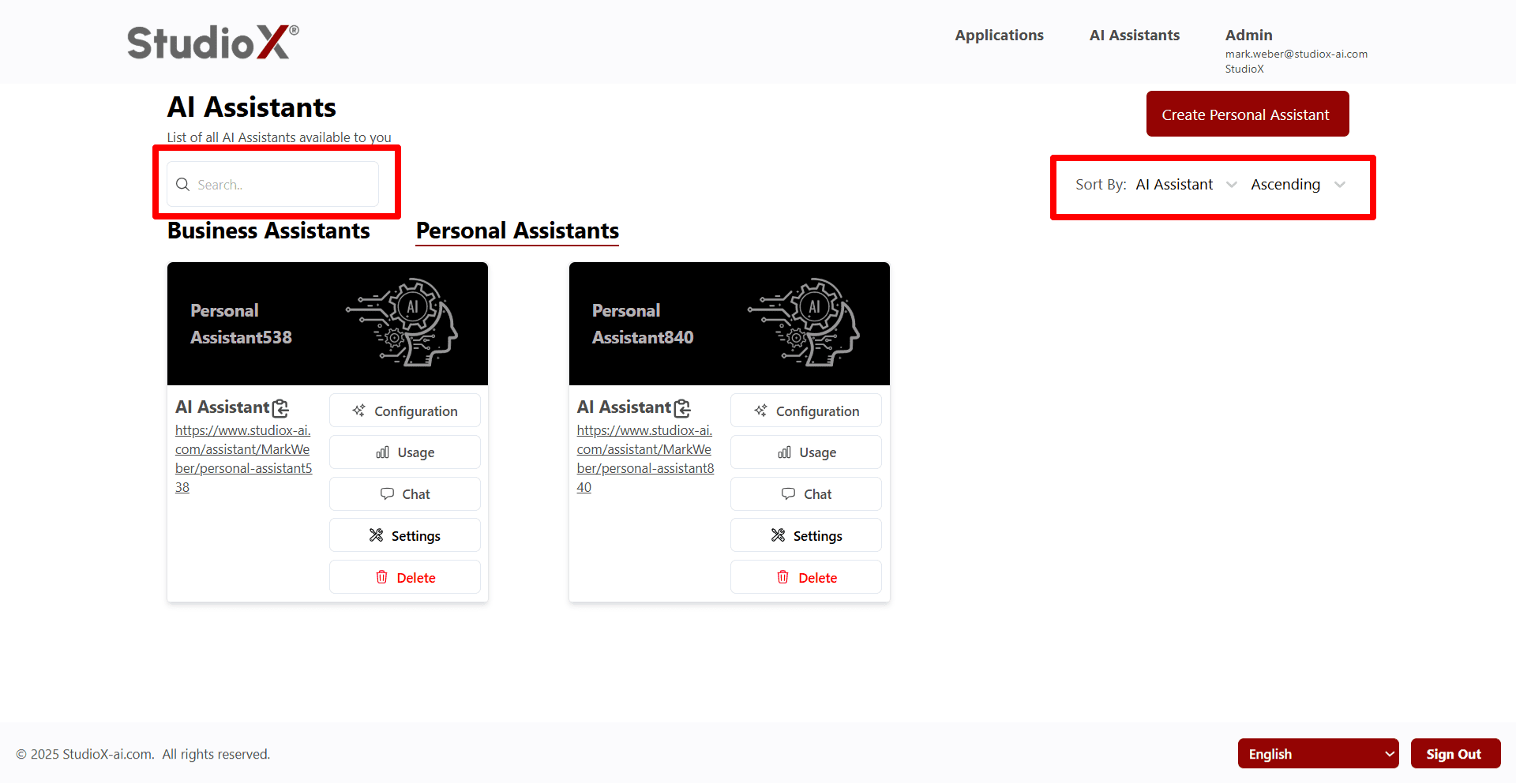
Search Capabilities
- Search by Assistant name using the search box
- Search by Assistant URL
- Real-time filtering as you type
Sort Capabilities
- Sort by Name
- Sort Assistants by URL
- Choose ascending or descending order
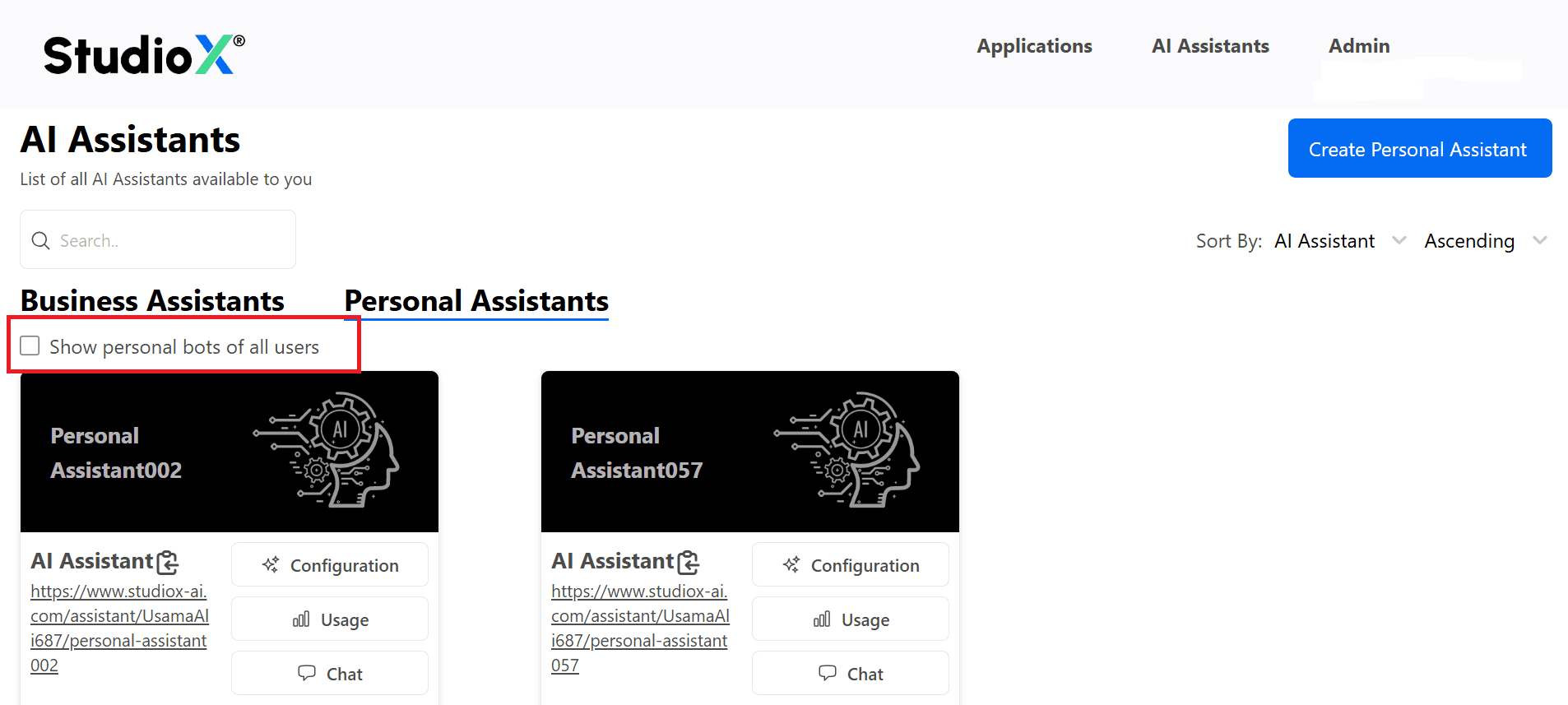
Toggle View Options
Use the checkbox to show/hide bots created by others. This makes managing multiple bots intuitive and fast.
Business Assistant Management (Admins Only)
Only Business Admins can create Business Assistants, view and manage all assistants across users, and assign ownership to other users.
Admin Exclusive Features
- Create Business Assistants: Full access to create and configure Business Assistants
- View All Assistants: See and manage assistants created by all users in the organization
- Assign Ownership: Make a user the owner of a bot, allowing them to view and manage it
- Toggle Visibility: Use checkboxes to display or hide bots created by others
Benefits of Ownership Assignment:
- Designated users can fully manage and configure assigned assistants
- Enables delegation of assistant management to specific team members
- Provides clear accountability and responsibility for assistant maintenance